Deprecated: wp_getimagesize(): Implicitly marking parameter $image_info as nullable is deprecated, the explicit nullable type must be used instead in /usr/www/users/webmed/HyperDoneHelp/wp-includes/media.php on line 5309

Deprecated: MakeDonaldDrumpfAgain\parse_mysql_dump(): Optional parameter $ignoreerrors declared before required parameter $prefix is implicitly treated as a required parameter in /usr/www/users/webmed/HyperDoneHelp/wp-content/plugins/make-donald-drumpf-again/make-donald-drumpf-again.php on line 71
Change Full Name – HyperDone Help
  • ← Back to HyperDone
  • Contact
HyperDone Help
  • ← Back to HyperDone
  • Contact

Change Full Name

/Account /Change Full Name
  • August 24, 2020
  • John Williams
  • Account

If you want to change Full Name you can do it from User Settings page by clicking arrow bellow Full Name/Email in top right corner and choose User Settings option.
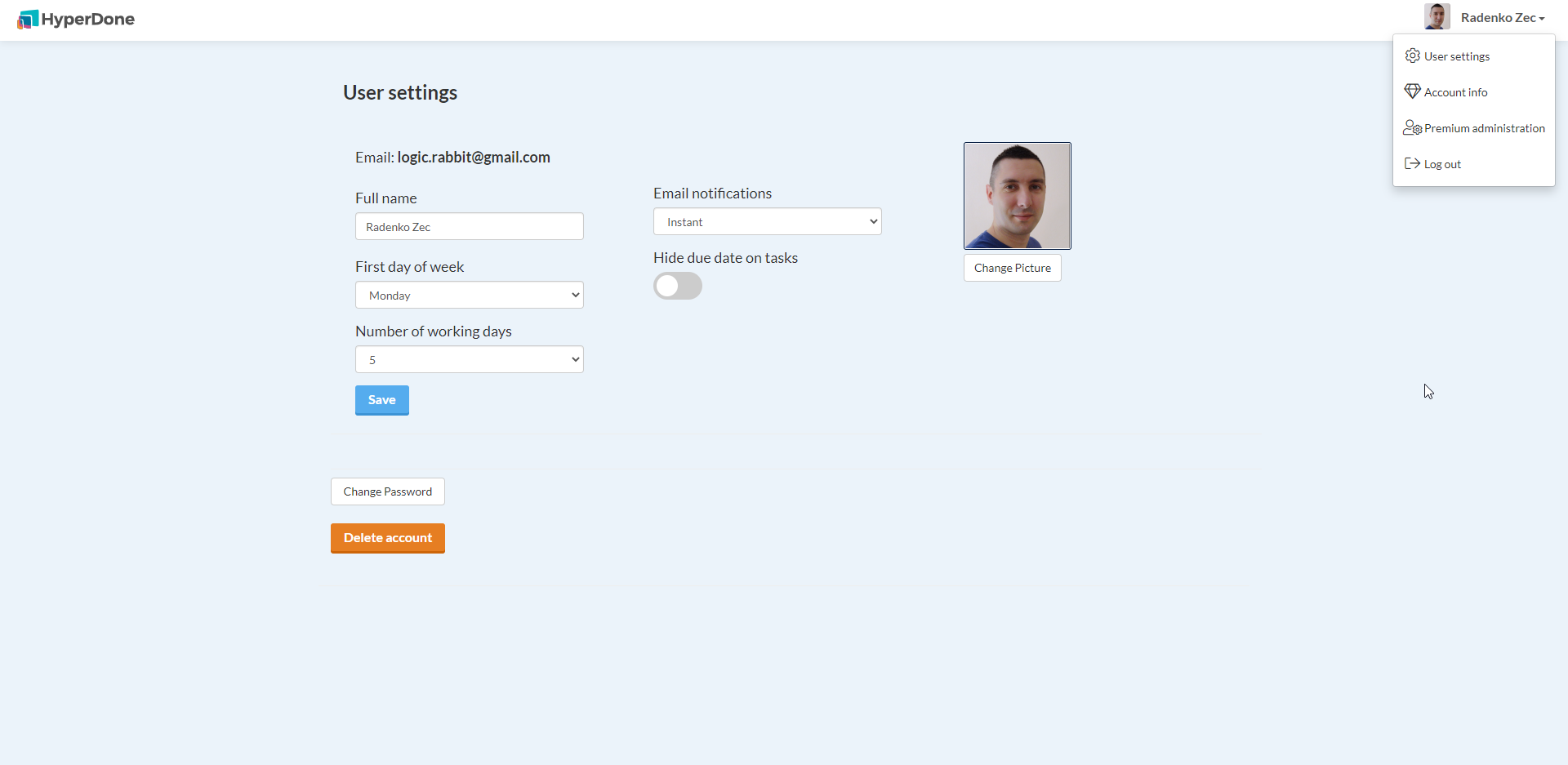
After you enter new Full name just click “Save” button.

Related Articles

  • Change Credit Card / Payment data

  • Turn off email notifications

  • Change Avatar/Gravatar

  • Delete account

  • Change password

  • Login into application

Categories

  • Account 8
  • Administration 3
  • API 1
  • Boards 12
  • Columns 3
  • Tasks 12
  • Uncategorized 2
  • Workspaces 1

Popular Articles

  • Mobile apps (Android and iPhone)
  • Changing Date Format in Calendar board and Time Zone
  • Administration of premium accounts
  • Time estimate, time spent & due date

Latest Articles

  • Inviting users
  • Workspaces, Folders & Boards
  • User roles and permissions
  • Public API
  • Home
  • Contact
  • Terms of Service
  • Privacy Policy